Stop Friends From Tagging You on Facebook
Some of my friends on Facebook don’t like to be tagged in photos for various reasons. Every time they get tagged, they go and manually remove the tags. Unfortunately, this can be time consuming and laborious.
Fortunately, there is a way to stops friends’ photos that you are tagged in appearing on your profile; go to Account | Privacy Settings
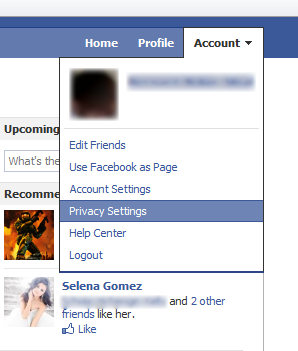
Accounts >> Privacy Settings
Then click on Customize Settings
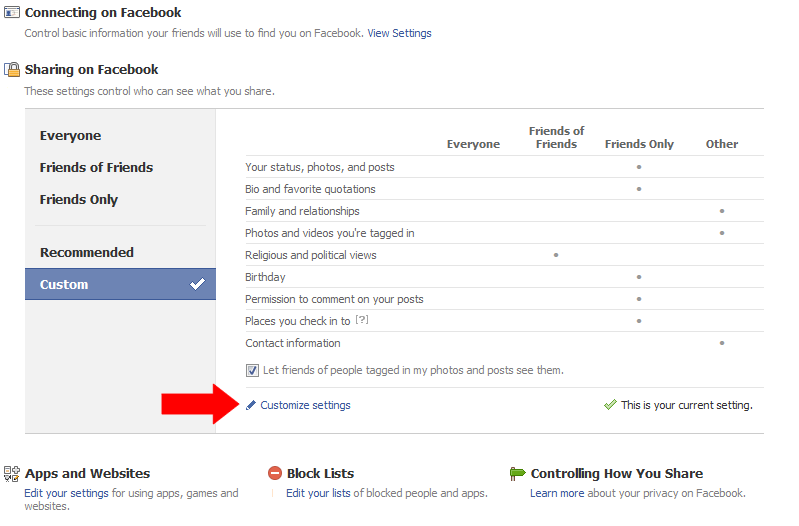
Customize settings
Then click Edit Settings in the “Things others share” category
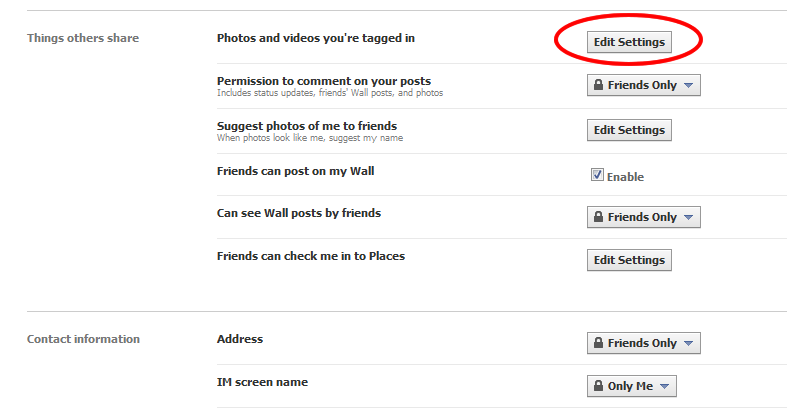
Control the things others share about you.
Then click the drop down box and select Customize.
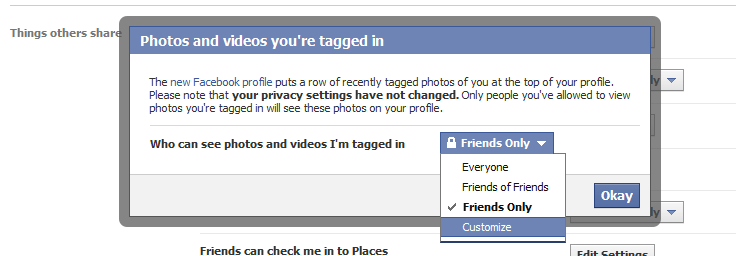
Customize the settings to what you want.
Select “Only Me” from the drop down and save settings.
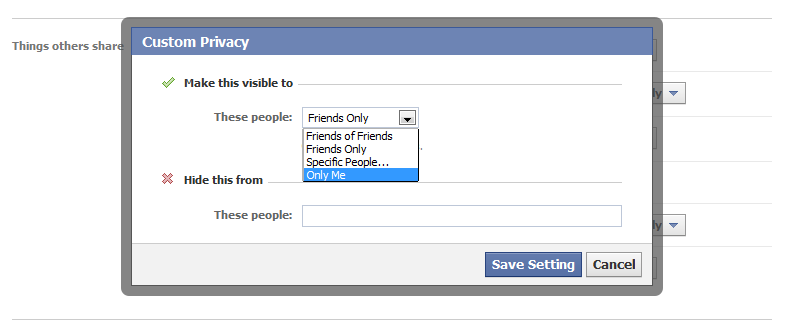
Only you.

Bernard is a writer, martial art enthusiast and geek.
Latest posts by Bernard Sinai (see all)
- PNG Government Introduces ICT Procurement Standards and Best Practices 2025 - October 16, 2025
- Understanding 5G: The Future of Connectivity - October 12, 2025
- Hackers Publish Qantas Customers’ Data on Dark Web After Third-Party Breach - October 12, 2025